

The inventory and items
As the story goes on, you can pick up items. They go into your inventory, which you carry from one sequence to the next.
When an item is handed to you, a card shows up for a moment to present it, with its icon and its description. The author can do without that card for a discreet item.
Opening your sheet
Section titled “Opening your sheet”At the top right of the screen, a button appears as soon as you are carrying an item. It shows how many items you hold, unless the author has chosen to hide the count. Click it to open your sheet.
That window has two tabs, and the inventory is only half of it:
- Inventory, what you carry. It is the one that opens, and the rest of this page is about it.
- Status, where you stand. It gathers all your gauges, including the ones the game bar has no room to show. See Gauges and counters.
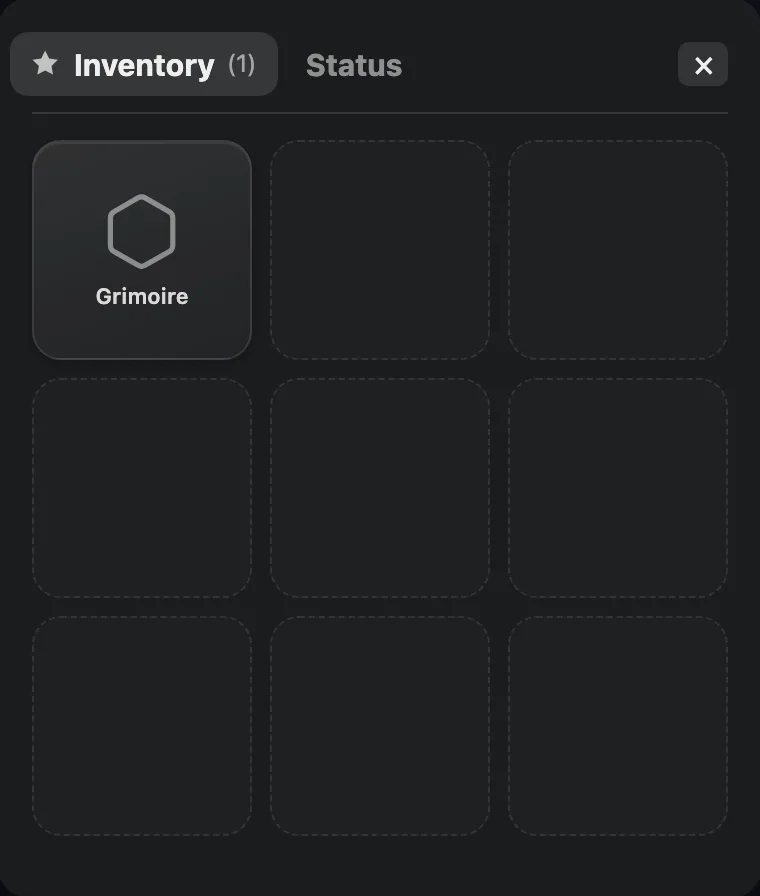
The sheet, open on the inventory. A single item here, the Grimoire, and the empty slots showing the room you have left.
The inventory always keeps the same size, three columns wide, whether you carry one item or ten. Each slot shows the item’s icon and its name.
An item’s card
Section titled “An item’s card”Click a slot and the item’s card rises over the grid, which stays visible behind it. The card shows the item large, its name, and its description when it has one.
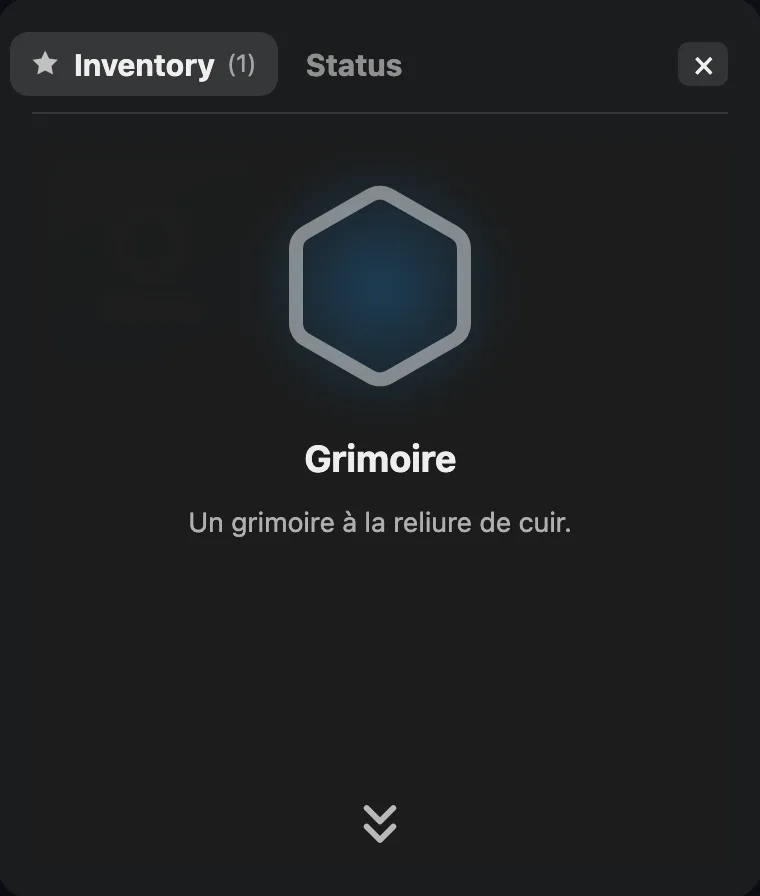
An item’s card. At the bottom, the double chevron that sends it back down.
The wide double chevron, right at the bottom, sends the item’s card back down to the grid. The Escape key does the same, and a second press closes the whole window. The cross at the top right closes the window in one go.
Using an item
Section titled “Using an item”An item’s card can carry one or several action buttons, up to three. Click one of them and a short scene plays, then the inventory reopens where you left it.
Some actions only show up at a precise moment of the story, when the author has put a condition on them. A lamp may only light once the matches have been found.
Not every item has an action. Many simply sit there, in your inventory, because the story will ask for them later.
Choosing an item
Section titled “Choosing an item”Some sequences ask you to pick an item. Depending on the story, you are offered the ones you carry, to show or give one, or on the contrary items you do not have yet, to take one. Depending on the one you pick, the story takes a different path.
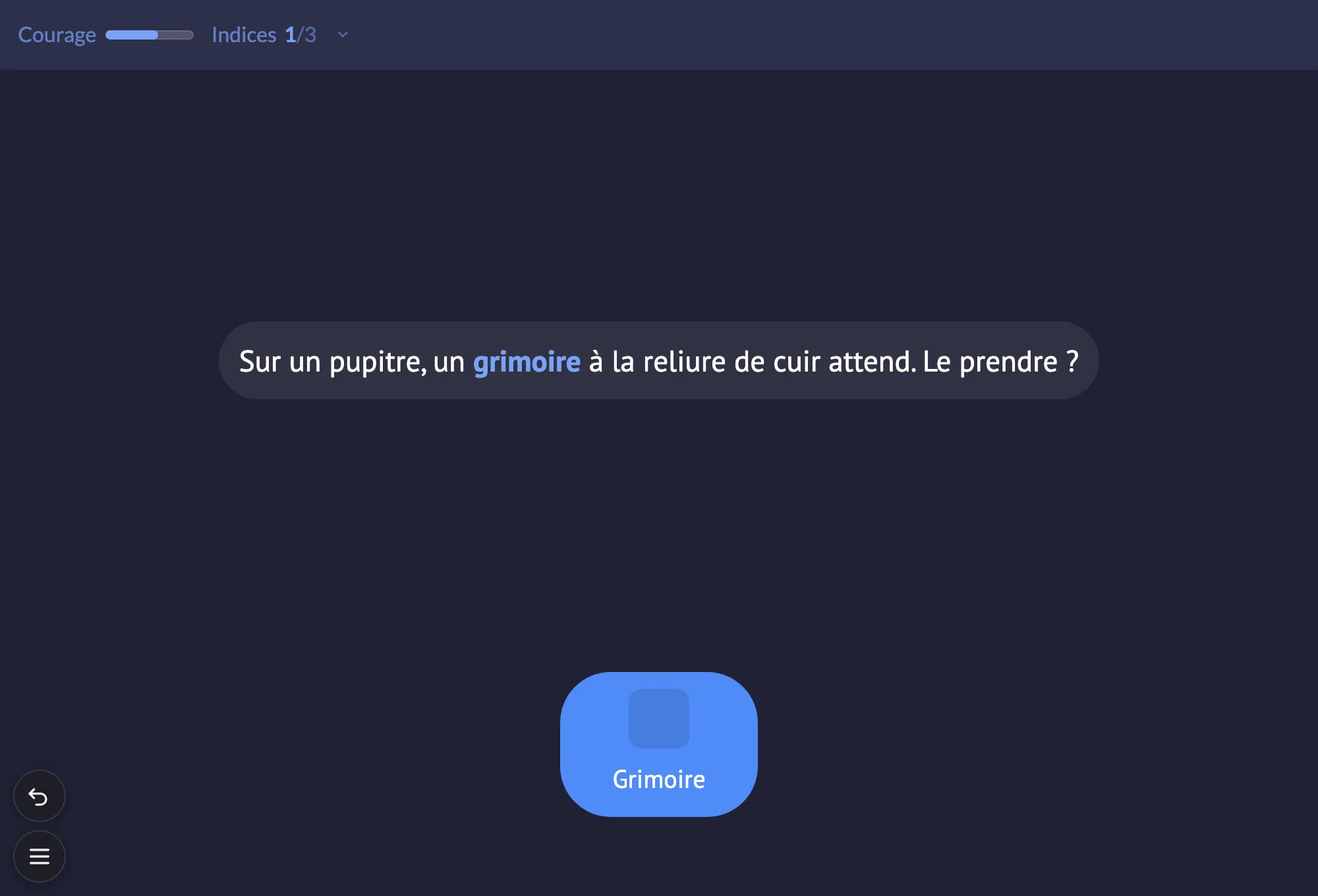
An item sequence: here, you are offered to take the grimoire.
When the sequence is about your inventory, you are offered everything you are carrying, and not only the items the author planned for by name. An item that was given no particular follow-up simply leads you to the shared exit. Your choice always counts, even when it was not expected.
And if you have nothing to hand over, the story does not leave you stuck. It plans an exit for that case.