

Introduction to the editor
A moiki is built in the Moiki editor. That is where you map out your story, write it, bring it to life, then share it. Nothing to install, and no need to know how to code.
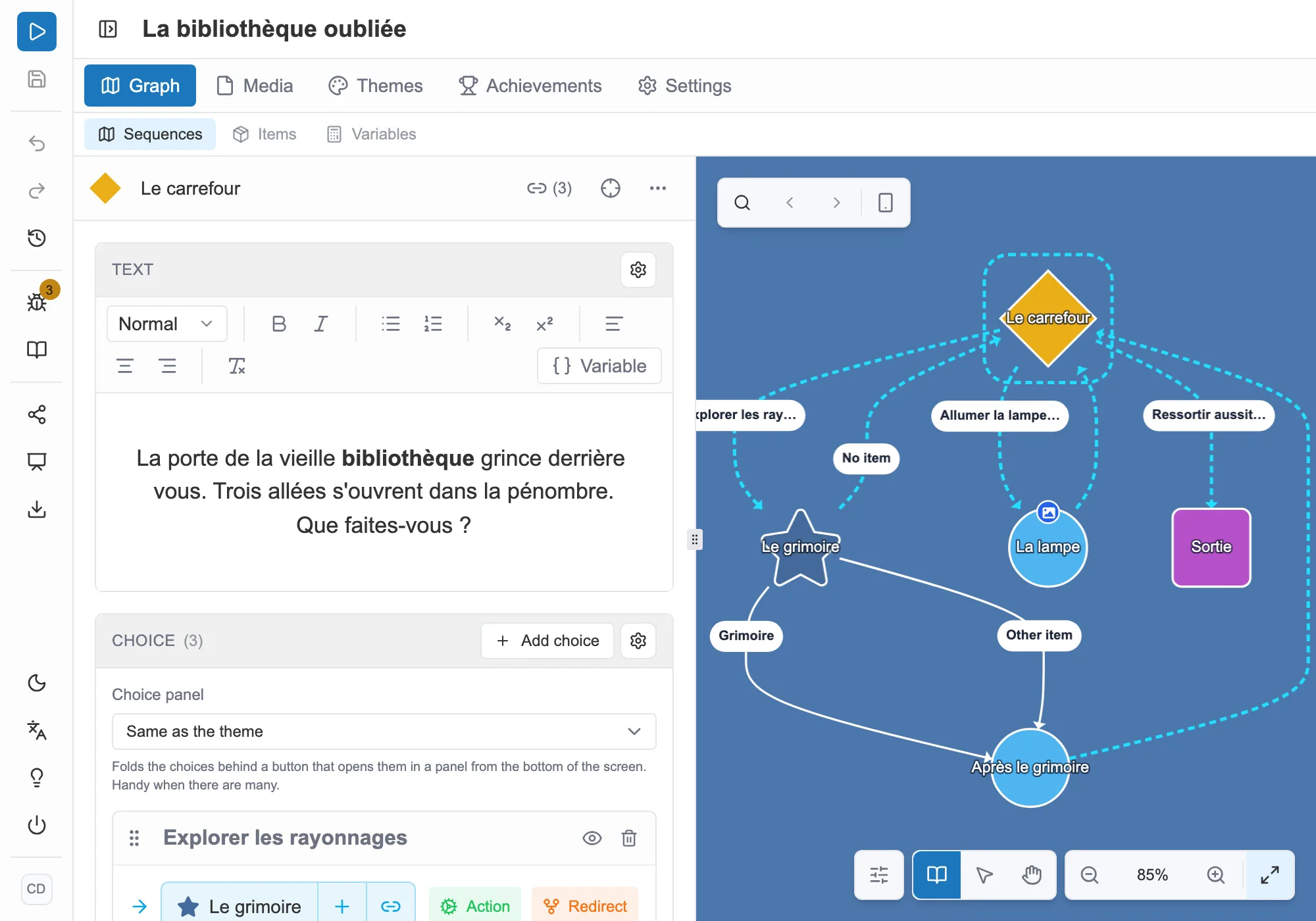
The Moiki editor: the action bar, the tabs, the panel and the graph.
How it is organized
Section titled “How it is organized”- The graph. The map of your story, made of sequences linked by choices. See The graph.
- Writing. The text of each sequence, and the variables you slip into it. See Rich text.
- Media. The images, sounds, videos and icons in your story. See The media library.
- Adding interactivity. Variables, items, conditions, actions: what makes the story react to the reader’s choices. See Variables.
- Look and feel. Themes and the cover, for the mood. See Themes.
- Publishing. Check, test, then share with a link. See Sharing.
Where to start
Section titled “Where to start”The simplest way in is to create a story and find your bearings. See Your first steps.
If you would rather be walked through it, ten guided tutorials let you try everything in the editor, on a sample story. See Guided tutorials.