

Getting started with Moiki EDU
Here is how to get started with Moiki EDU, from your first sign-in to your first session with a class.
Creating your account
Section titled “Creating your account”An account is created from the Sign up screen, and from there only. The Log in screen is for coming back: if you arrive there with a Google account Moiki does not know yet, it will not quietly create one for you, it sends you to sign-up.
There is nothing bureaucratic behind this. Moiki needs to know who you are before it opens a space, and that is exactly the question sign-up asks.
On your first sign-in
Section titled “On your first sign-in”Sign-up therefore starts with that question. Moiki asks who you are:
- Teacher: prepare your classes and your workshops.
- Manager: buy a subscription for your establishment and invite your team.
- Student: join a class with a teacher’s link or code.
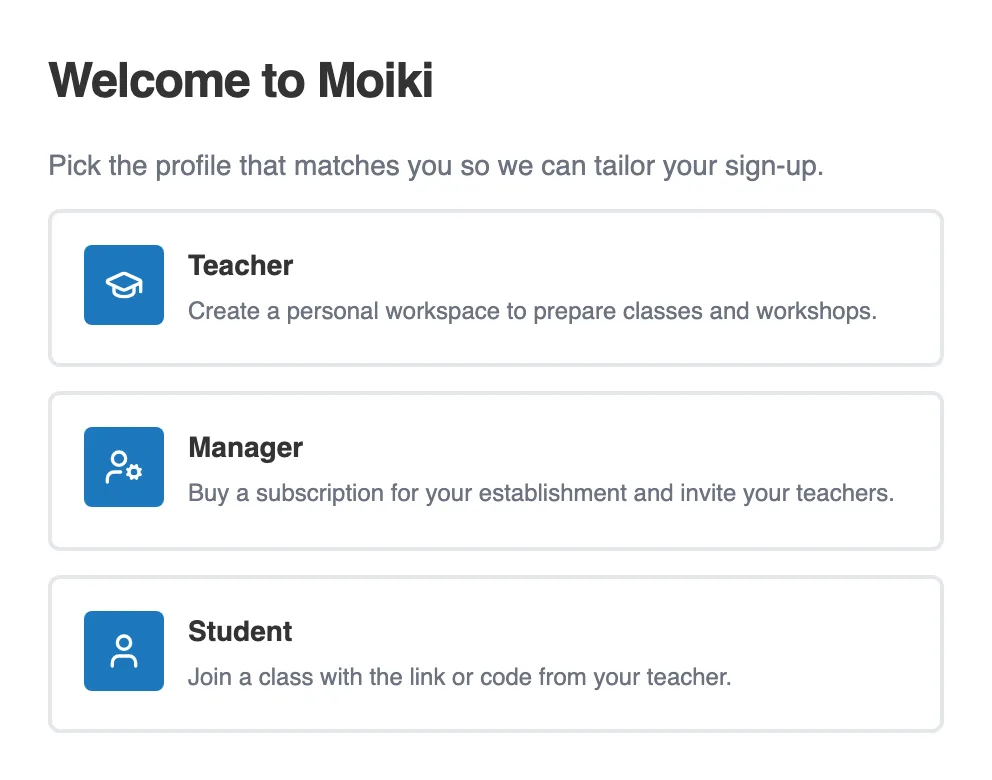
On your first sign-in, you say who you are.
Once that is settled, Moiki asks who you will be welcoming: pupils whose accounts you create, or students who sign up themselves. See Pupils or students: how they join your space. A short welcome message then opens your space.
Your first steps
Section titled “Your first steps”From the dashboard, the usual sequence goes like this:
- Create a class and add your students. See Managing your classes and students.
- Hand out the access codes so your students can reach Moiki. See Your students’ access codes.
- Choose an activity: a story to read, to write, or to write together. See Choose your activity.
- Launch a session of that workshop with your class. See Launch and track a session.