

Plans and billing
Moiki EDU comes in three plans. Two of them are personal licenses, tied to a single teacher: Free and ECO. The third is an establishment license, which covers a whole team: MASTER.
The three plans
Section titled “The three plans”The Pricing page of the site splits them between two tabs, Individual and Institution.
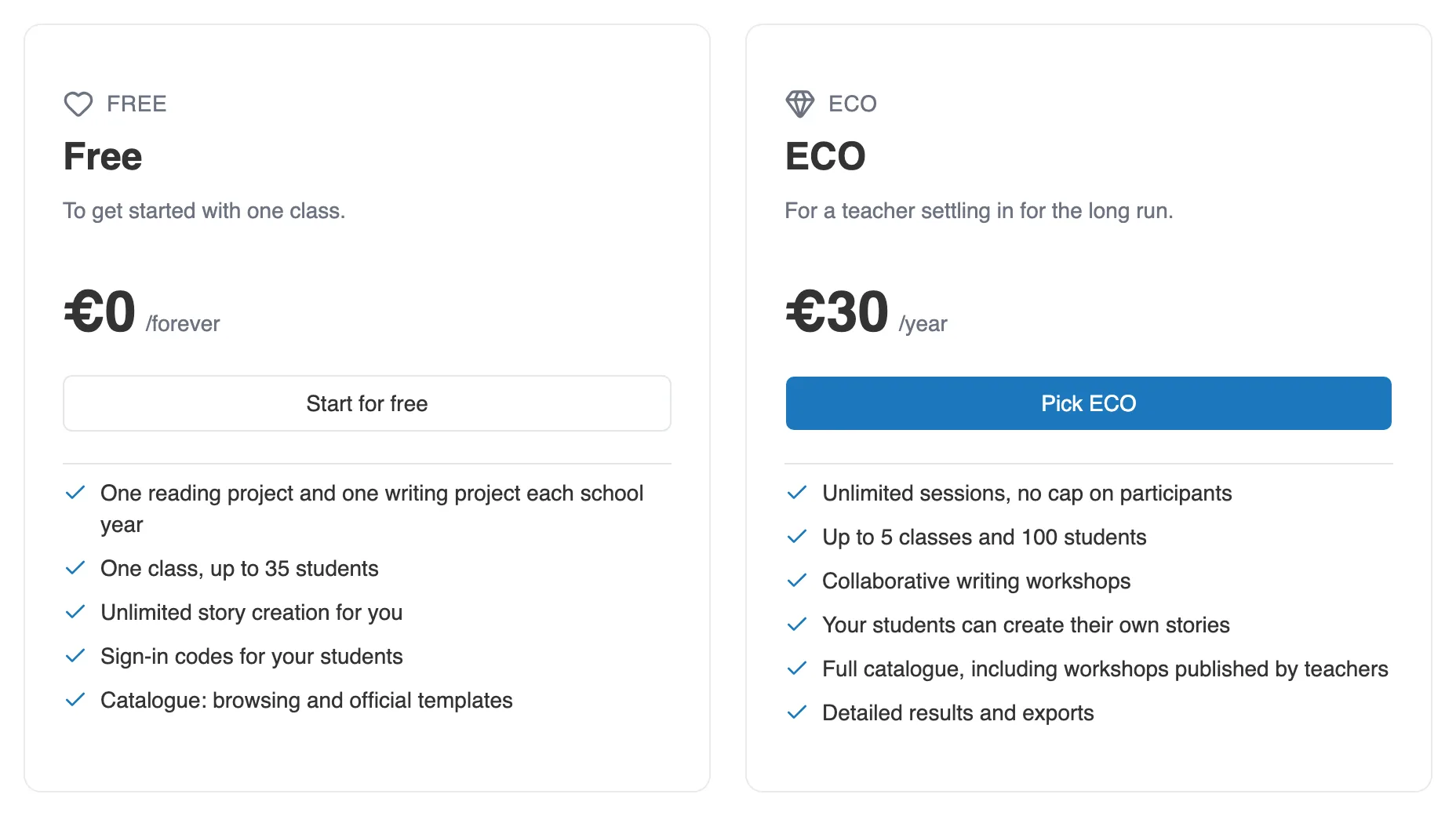
The Individual tab: Free and ECO. MASTER sits on the Institution tab.
| Plan | Scope | Price | Duration |
|---|---|---|---|
| Free | personal license | €0 | no time limit |
| ECO | personal license | €30 | one year |
| MASTER | establishment license, several seats | from €35 per teacher | one year |
- Free: to get started with Moiki with one class. Each school year, one reading project and one writing project, one class of up to 35 students, and one story per reading workshop. See The free project.
- ECO: unlimited sessions with no cap on participants, up to 5 classes and 100 students, several stories per reading workshop, collaborative writing, the full catalog, and your students can create their own stories.
- MASTER: everything ECO includes, several teacher seats on a shared workspace, unlimited classes and students, and a connection to your school platform.
MASTER pricing is tiered, dropping beyond 5 seats and again beyond 10. The checkout summary shows the price per seat and the total before payment.
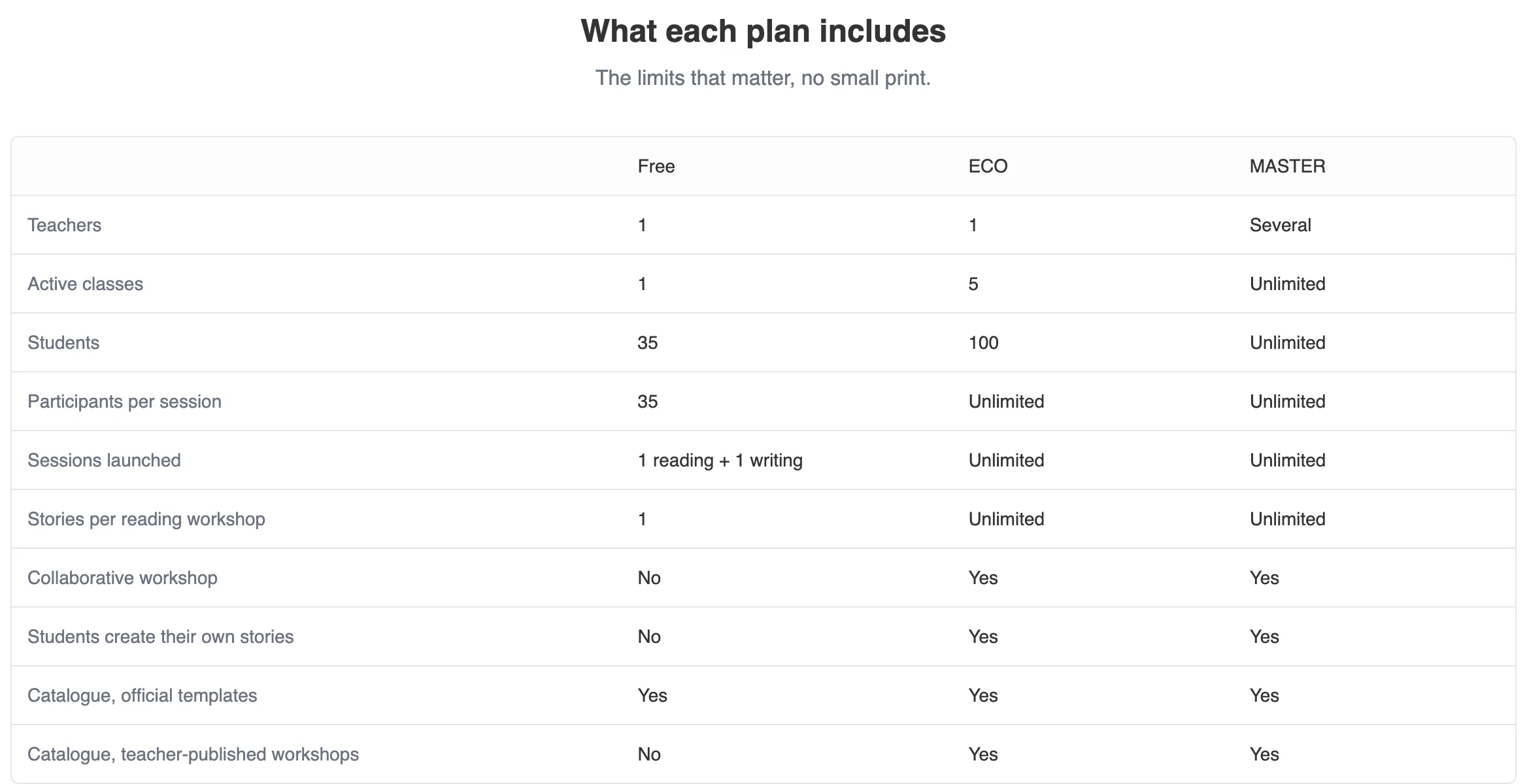
The comparison table, further down the same page.
Teacher seats
Section titled “Teacher seats”A MASTER license is bought for a given number of seats. A seat is taken by an active teacher. Students do not use up a seat. The Overview page shows Teacher licenses used against the total bought, at any moment. See The team and invitations.
Tracking your subscription
Section titled “Tracking your subscription”The Subscriptions page, in your account, brings together everything you are attached to: your personal plan first, then your establishments.
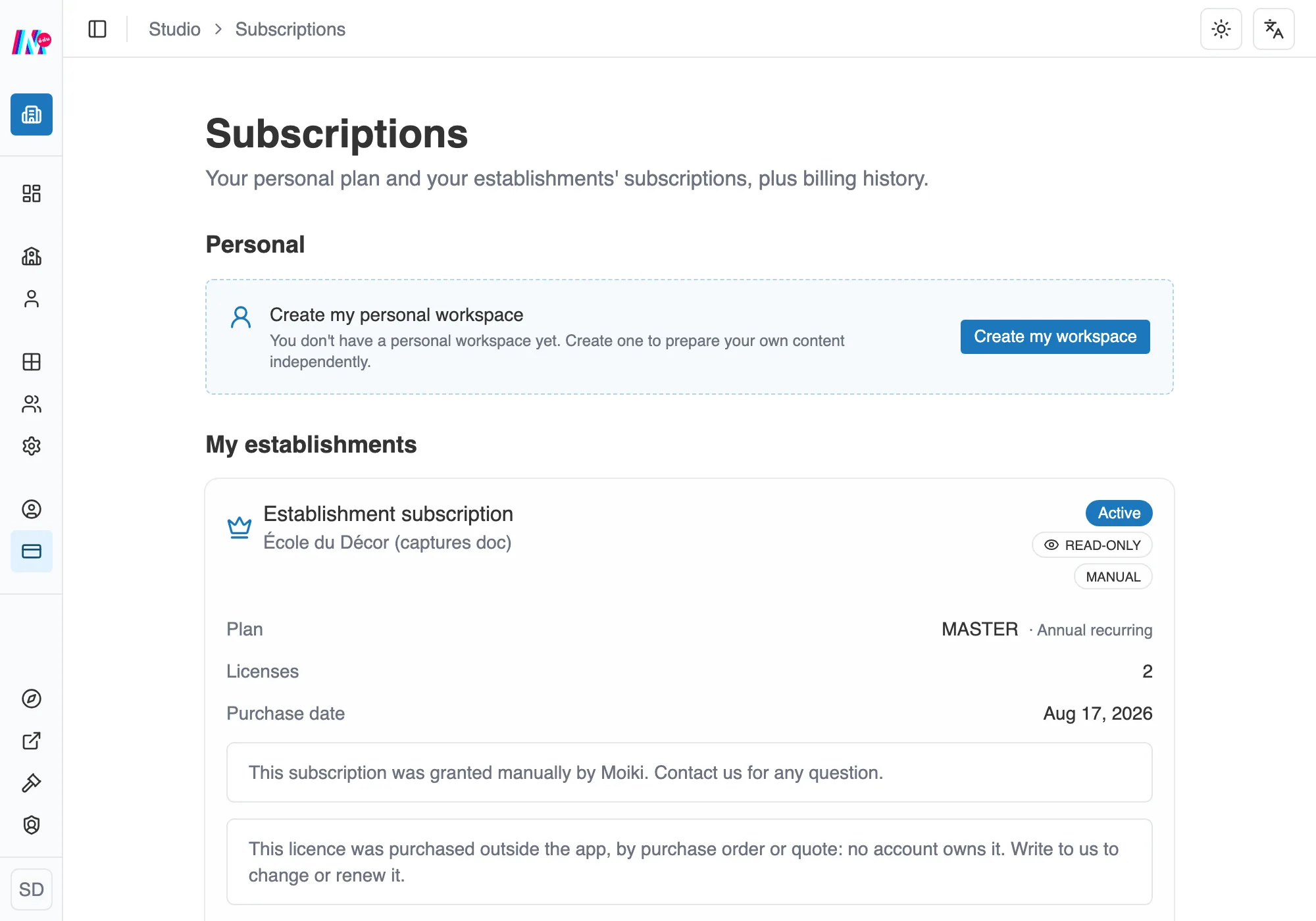
The Subscriptions page: your personal plan, then your establishments.
Paying
Section titled “Paying”Payment happens online, and the way the year is counted depends on the plan:
- ECO: a yearly subscription, whose term runs from your purchase date.
- MASTER: either a Yearly recurring subscription, or a License for the current school year. The checkout asks you for this Purchase type.
If you settle by purchase order, as public bodies usually do, you can Request a quote.
Paying by bank transfer, without the wait
Section titled “Paying by bank transfer, without the wait”A bank transfer or a direct debit takes several days to clear, sometimes longer for an administrative transfer. Your subscription does not wait for it. It is active as soon as the payment is validated, not when the money arrives. A school that has started its transfer can work straight away.
If the transfer does not go through in the end, your access is not cut off in the moment. A message explains that the payment was not received and that the purchase has to be made again, and the Moiki team is notified. This kind of payment is not retried automatically, unlike a bank card.
After the payment
Section titled “After the payment”The screen that follows the purchase tells you where the activation stands, and not merely that the card went through. It takes one of these forms:
- Validating payment: Moiki is waiting for confirmation. The page refreshes on its own.
- Activating your subscription: the payment is confirmed, a few seconds of finalization remain.
- Payment being processed: the bank transfer case. You will get an email as soon as the subscription is active, and you can close the page.
- Thanks for your purchase: everything is active, with the summary of your plan.
A few seconds of waiting before the summary are therefore normal.
Two rarer cases. If the payment does not succeed, the screen says so and nothing is charged. And if it is received but the activation does not complete, a session reference appears. Quote it when you write to support. The team is notified on their side and puts things right.
Managing the subscription (bank card, invoices, renewal, cancellation) goes through the Stripe portal, which the Manage in Stripe button opens from the card concerned. If you follow several establishments, each card has its own portal. An administrator who did not subscribe sees the card marked Read-only: the invoices and the expiry date are visible, and any change stays with the buyer.
A dated license also stops on its own
Section titled “A dated license also stops on its own”Cancelling is not the only way back to Free. Licenses granted for a fixed term stop at their expiry date, with nobody having to do anything, and the paid rights close that day: media quota, H5P export, importing workshops published by other teachers.
Two cases, two deadlines:
| License | End of paid rights |
|---|---|
| MASTER for the school year | end of the school year, plus 30 days of leeway for the new term |
| Yearly recurring subscription (bank card) | nothing stops while it runs |
The leeway at the start of term exists for a simple reason. A team that renews in September should not find its classes closed on the first day back.
An email warns you when the license has expired, with the subject “Your licence has expired”. It repeats the date, and it tells you what to expect: either the date up to which your classes stay open, or that the account has already returned to the free features. It goes to the buyer, and failing that to the Owner of the establishment.