

Guided tutorials
Before reading anything at all, you can learn by doing. Moiki comes with ten guided tutorials that take you by the hand inside the editor, one idea at a time, in one to three minutes each.
Where to find them
Section titled “Where to find them”The hub is called Tutorials. You reach it from the studio sidebar, and from the welcome screen that follows your sign-up. It opens on “Get to grips with the Moiki editor”.
The page is public: you can follow the tutorials without an account, to see what the editor looks like before you commit to anything.
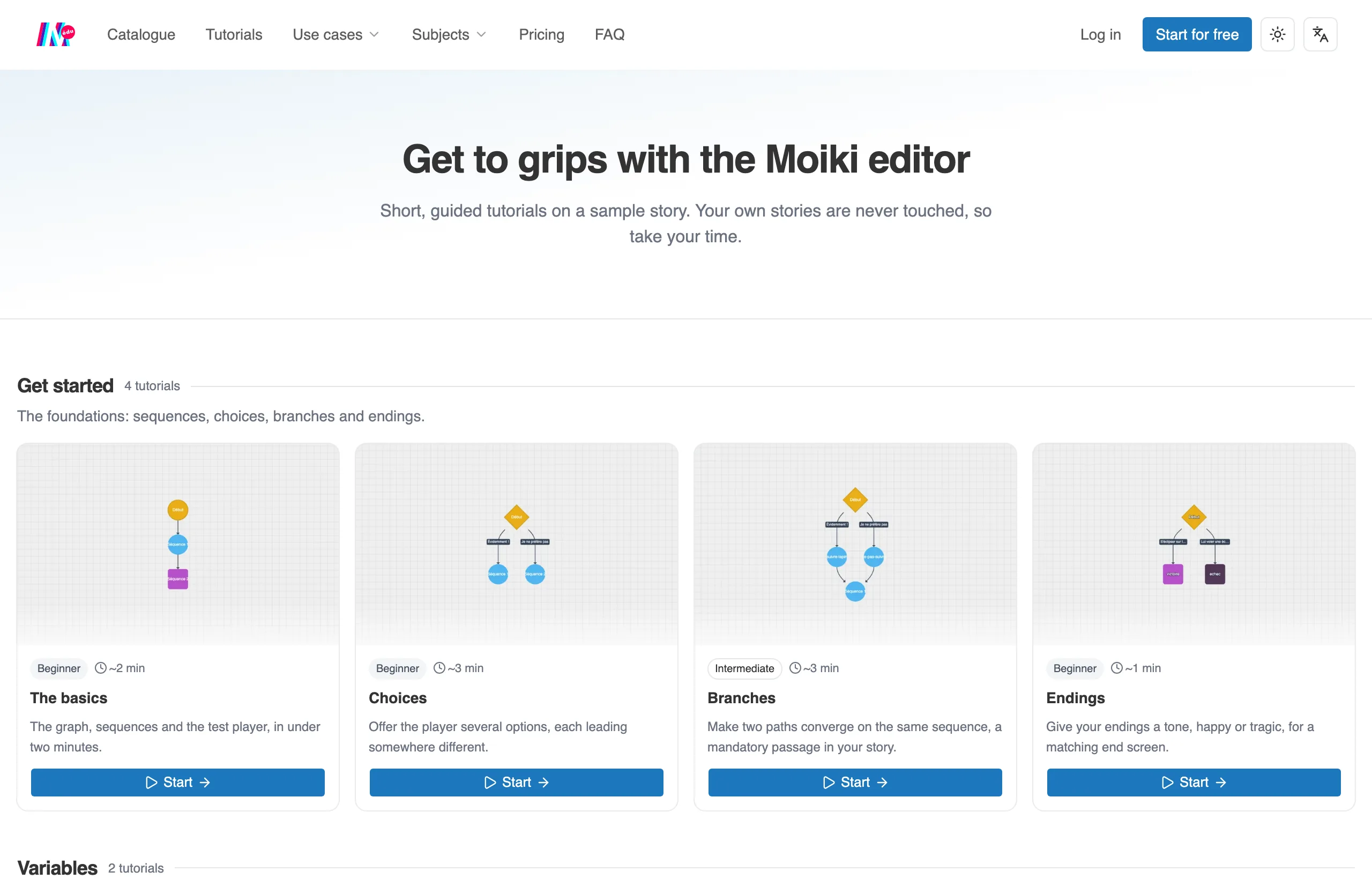
The Tutorials hub, open on the Get started series.
Nothing to break
Section titled “Nothing to break”A tutorial opens the real editor, but on a sandbox story prepared for the occasion. Your own stories are never touched. You click, you get it wrong, you start over, with no consequence.
At the end of a tutorial, if you have an account, the Import into my stories button brings that sample story over to your side, ready to be reworked.
The ten tutorials
Section titled “The ten tutorials”They come in three series, in the order the ideas stack up.
Get started lays the foundations: sequences, choices, branches and endings.
- The basics: the graph, the sequences and the test player.
- Choices: offering several options, each one leading somewhere different.
- Branches: making two paths converge on a mandatory passage.
- Endings: giving an ending a tone, happy or tragic.
Variables installs the memory of your story.
- Create an item: its name, its description, its icon.
- The gauge: showing a counter as a bar, visible throughout the game.
Mechanics makes the story react to that memory.
- Grant an item: handing an item to the reader along the way of a choice.
- Change a counter: spending or earning points depending on the choices.
- Conditions: making what comes next depend on what the reader owns.
- Gauge conditions: a door that only opens with enough points.
What unlocks when
Section titled “What unlocks when”The Get started series is open in full from day one, to pick at in whatever order you like.
The other two series move in single file: the first tutorial of the series is available, and each of the following ones opens once you have finished the one before it, in the same series. A card that is still locked tells you which one to finish first.
Every card shows its level (Beginner, Intermediate or Advanced), its rough duration and the ideas it covers. A tutorial you have already finished carries the Done label, and Replay starts it again, as many times as you like.