

Conditions
A condition is a test on the state of the game. It answers yes or no, and that is what lets the story react to what the reader has done.
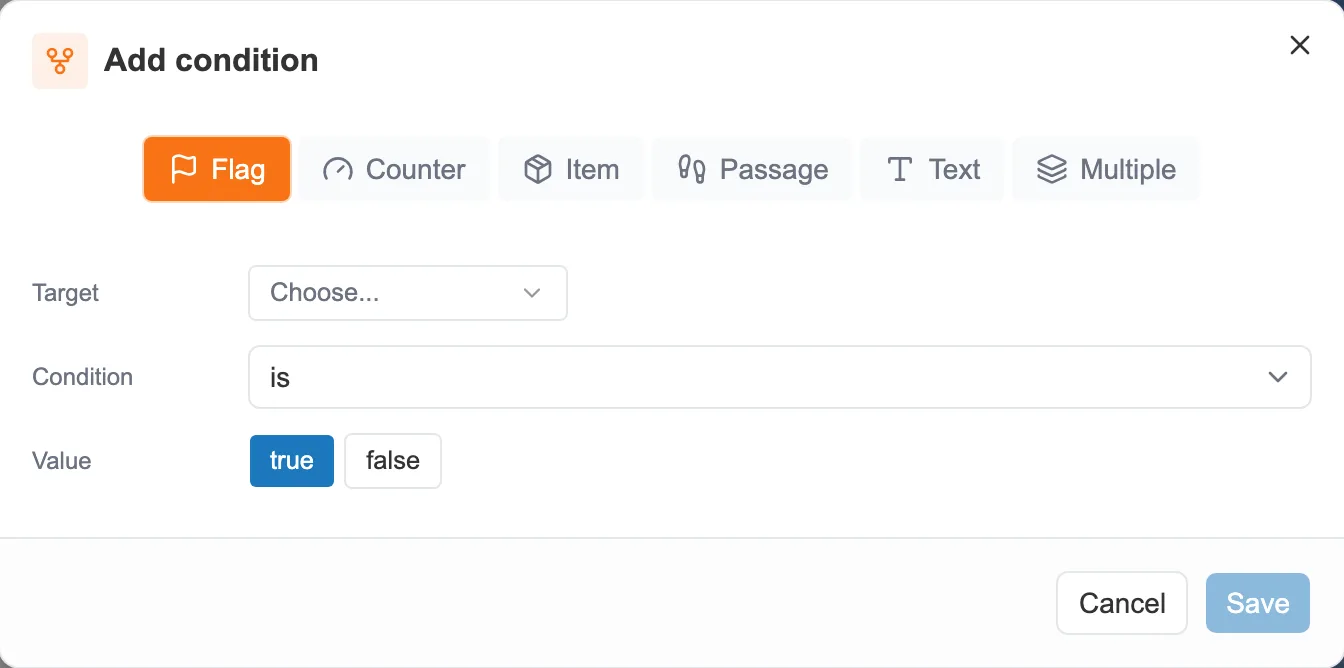
A condition is built in three steps: the target, the test, the value.
What you can test
Section titled “What you can test”A condition applies to a family, chosen at the top of the window:
- Flag: is true, or is not true.
- Counter: compared to a number (equal to, greater than, less than…).
- Item: the reader owns it, or does not.
- Passage: a sequence has been visited, or has not.
- Text: has a given value, or does not.
On a text, the Ignore case and accents switch, next to the expected value, makes the comparison forgiving. “Mer”, “mer” and “MER” count as the same answer, and “ecume” matches “écume”. That is what a reader’s typed answer needs, on a tablet that adds a capital letter or a keyboard without accents. See Puzzles and inputs.
The switch is on from the start on a new condition. Turn it off to compare character for character. It does not appear when the variable offers a list of values: the answer is picked there, not typed.
The Multiple option combines several tests with AND (all true) or OR (at least one true).
Where you set a condition
Section titled “Where you set a condition”The same window comes back everywhere a condition makes sense:
- on a choice, to show it only in certain situations. See Linking and organizing sequences.
- on a redirect, to steer the story. See Actions and redirects.
- on an event or an achievement, as a trigger.