

Inserting a variable into the text
A variable holds a piece of information that changes as the story goes along: a first name, a number of points, an item found. By inserting it into the text, you display its value of the moment, and the story adapts to each reader.
Placing a variable
Section titled “Placing a variable”Put the cursor where the value should appear, then click Variable in the toolbar. A window opens.
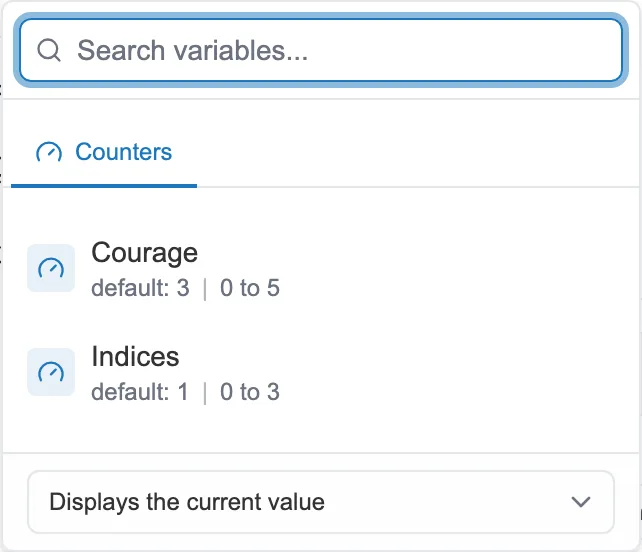
You pick the variable, then what it displays.
You look for the variable by name, then choose it from the list. Variables are sorted by family: Counters, Texts and Flags.
Choosing what appears
Section titled “Choosing what appears”At the bottom of the window, a menu sets what the variable shows. For a counter, you can display its value, its percentage, its value / max ratio, or its minimum or its maximum. For a flag, you choose a display such as yes / no or true / false.
A text variable can also show a random value among those you have given it. For a flag, one last setting picks the case: true, True or TRUE.
Once placed, the variable appears in the text as a colored pill. It is a marker for you as the author. The reader sees the real value in that spot.