

Proofreading
Hopping from sequence to sequence in the graph works well for building, much less for rereading. Proofreading lays all the text of your story out flat, in the order a reader meets it, and lets you correct it on the spot.
You open it with the Proofreading button in the action bar.
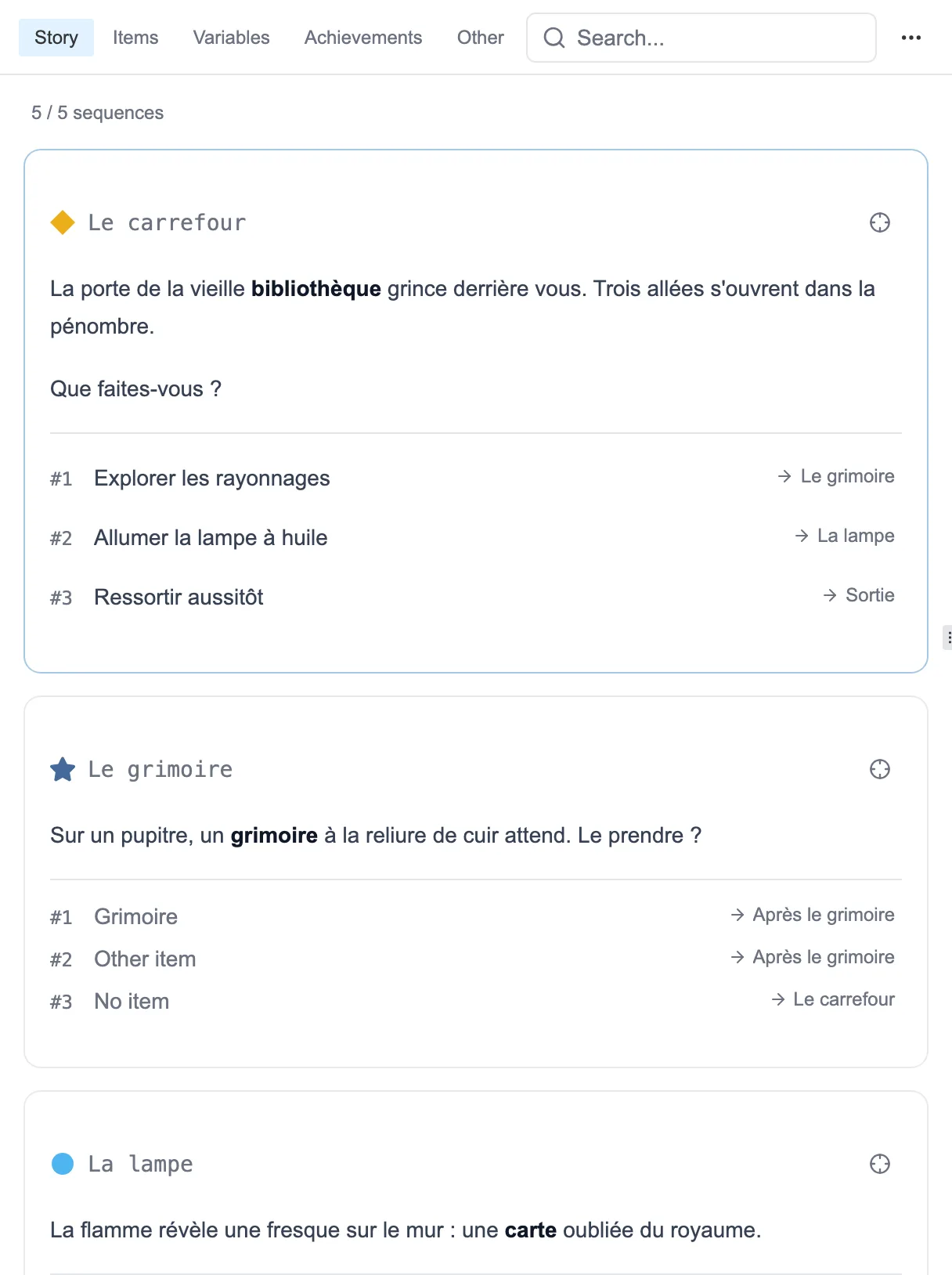
Each sequence, its text and its choices, one after the other.
In reading order
Section titled “In reading order”Sequences do not scroll past in the order you created them, but in the order they are met while reading. You start from the first one and follow the choices. Sequences that no path reaches bring up the rear, and each sub-graph forms its own group.
That is what makes proofreading useful on a story that has had a life. Creation order, for its part, turns disjointed as soon as edits pile up.
Each card carries the sequence name, its shape and its color in the graph, its text as it will be read, then its numbered choices with their destination. A counter at the top tells you where you are.
Correcting without leaving the page
Section titled “Correcting without leaving the page”Click a text and it opens for editing, right where you are reading it. You do not have to find the sequence in the graph to change a word.
The target icon, at the top of each card, opens the sequence in the editor when you have more than a typo to fix.
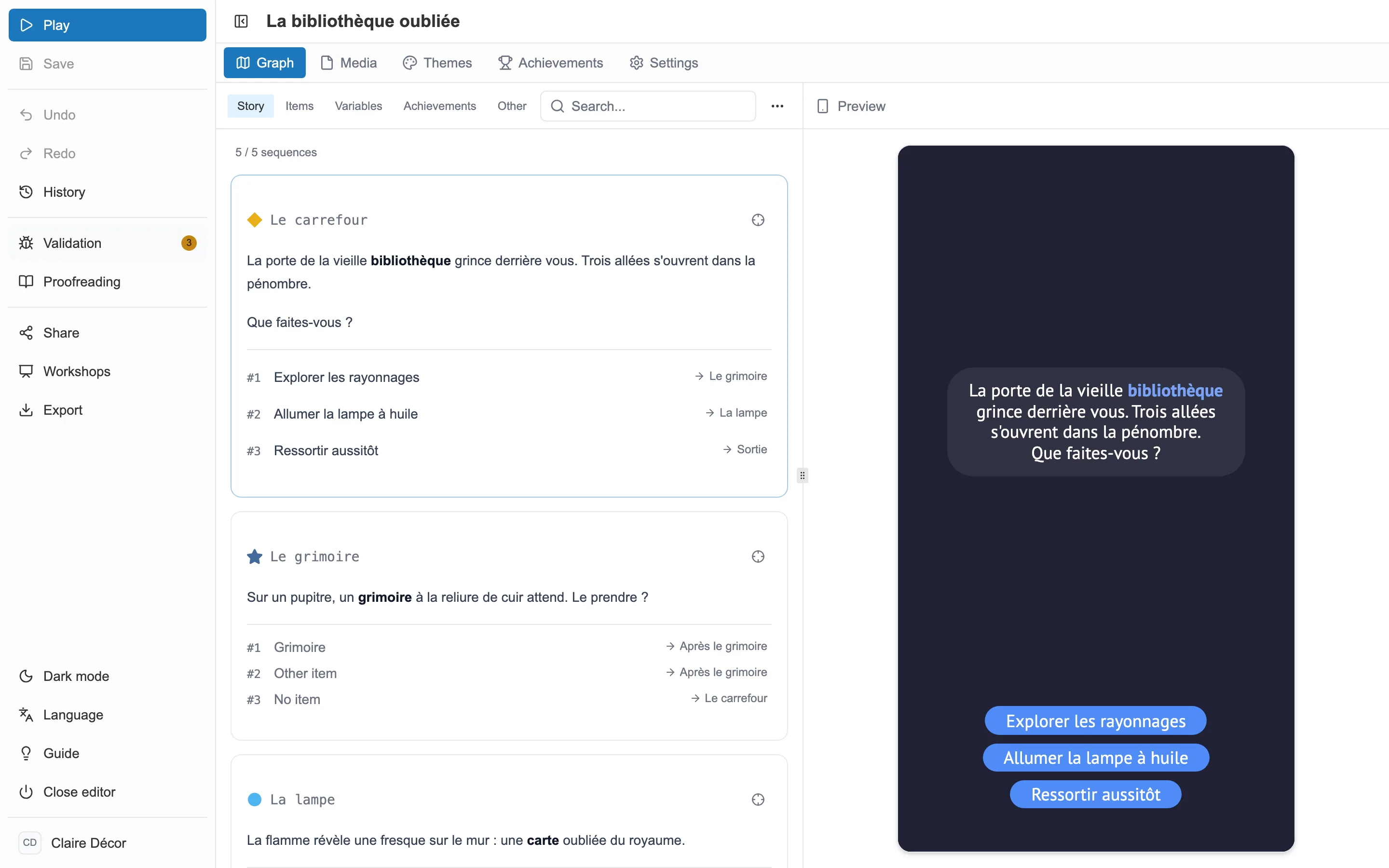
On the right, Preview shows the passage as the reader will see it.
The right-hand pane keeps you on course. Preview shows the passage you are rereading exactly as it will appear on screen, with its theme and its buttons. Follow a choice there and the list brings the sequence you reach under your eyes.
All the text, not just the sequences
Section titled “All the text, not just the sequences”A story is not read in sequences alone. Tabs gather the rest:
- Story: the sequences and their choices.
- Items: names, descriptions, inventory option labels.
- Variables: names and values of your text variables.
- Achievements: their name and their description.
- Other: the credits, the themes, the events, the gauge labels.
A Characters tab is added if your story has any. A search finds a word anywhere proofreading covers.
Exporting and reimporting the text
Section titled “Exporting and reimporting the text”The … menu, to the right of the search, offers Export CSV and Import CSV. The table takes all the text of the story out, and puts it back once edited. Enough to organize proofreading with several people, or to prepare a translation.
The export covers what the tabs cover, and each row is found by its key, not by its position. Renaming a field or deleting one does not shift the file.