

Validation
Before you share, a glance at Validation saves you nasty surprises. It goes over the story and flags what is wrong.
You open it with the Validation button in the action bar. A panel appears at the bottom.
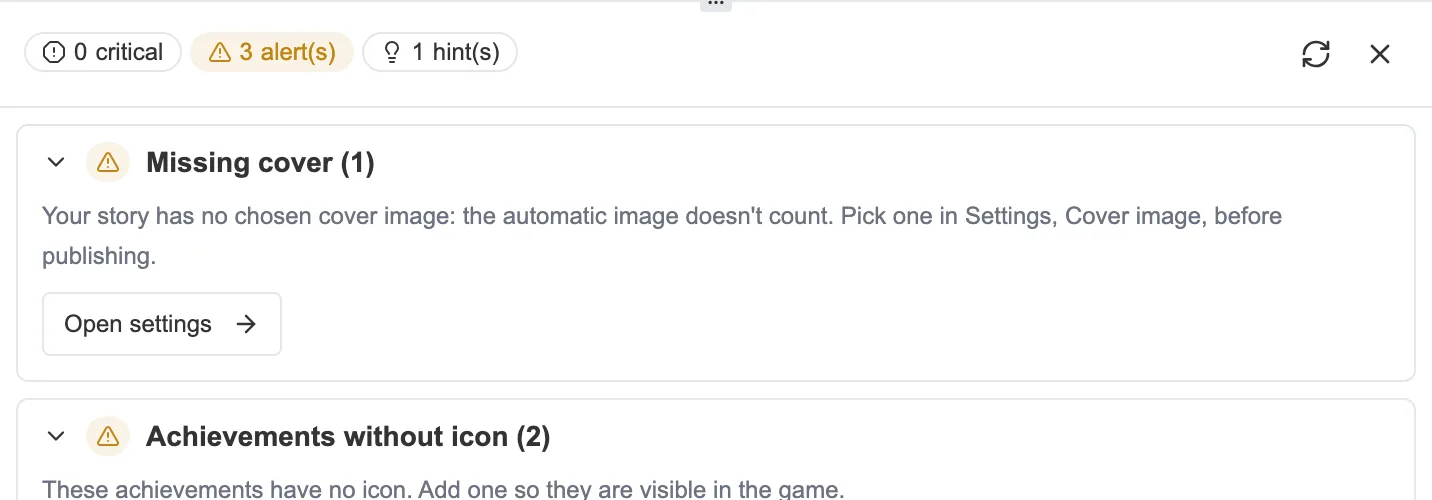
The Validation panel: the problems, sorted by level.
Three levels
Section titled “Three levels”Problems are sorted into three levels, from the most serious to the mildest:
- Critical: the story is broken, it cannot be played from end to end (a missing link, an unreachable sequence).
- Alert: the story runs, but something deserves attention (an empty text, a missing cover).
- Hint: a suggestion with no consequence, such as a variable that is never used.
Missing starting sequence
Section titled “Missing starting sequence”One problem comes before all the others, at the top of the panel: Missing starting sequence. It shows up when your story points to an entry point that no longer exists, inherited from an earlier version or from an import.
As long as it is there, the story does not play at all, and the rest of the report is of no use. The Open the graph button takes you there. Open a sequence, then choose Set as root.
On the reading side, a dedicated screen explains that the story is incomplete, without offering to try again. There is nothing to retry, it is the story that needs repairing.
Going straight to the problem
Section titled “Going straight to the problem”Every problem is clickable. Validation takes you straight to the sequence, the variable or the item concerned, ready to fix. Unused elements can even be deleted in one click from the panel.
Some groups carry a dedicated button as well. Missing cover offers Open settings, which drops you on the cover block of the Settings and outlines it for a moment so that you spot it. This problem counts as an alert: without a cover your story cannot be published to the catalog, but it shares and plays perfectly well. See The cover.
Invisible links
Section titled “Invisible links”One group deserves an explanation: Links invisible in the editor.
The graph draws an arrow as soon as a connection has a destination. A connection can end up pointing to a setting that its sequence type does not have, usually in a story imported from moiki.fr. The arrow then appears in the graph without any panel being able to show it. Impossible to edit, impossible to delete, and the reader never takes it.
Validation lists them for the whole story. The panel of an affected sequence also carries an Invisible links in this sequence block, with what you need to delete them one by one.
The full list of what Validation checks, and of what Moiki caps, is in Limits and checks.