

Actions and redirects
Where a condition reads the state of the game, an action changes it. That is how a choice leaves a trace: it raises a counter, sets a flag, grants an item.
You add an action to a choice, with the Action button that goes with it.
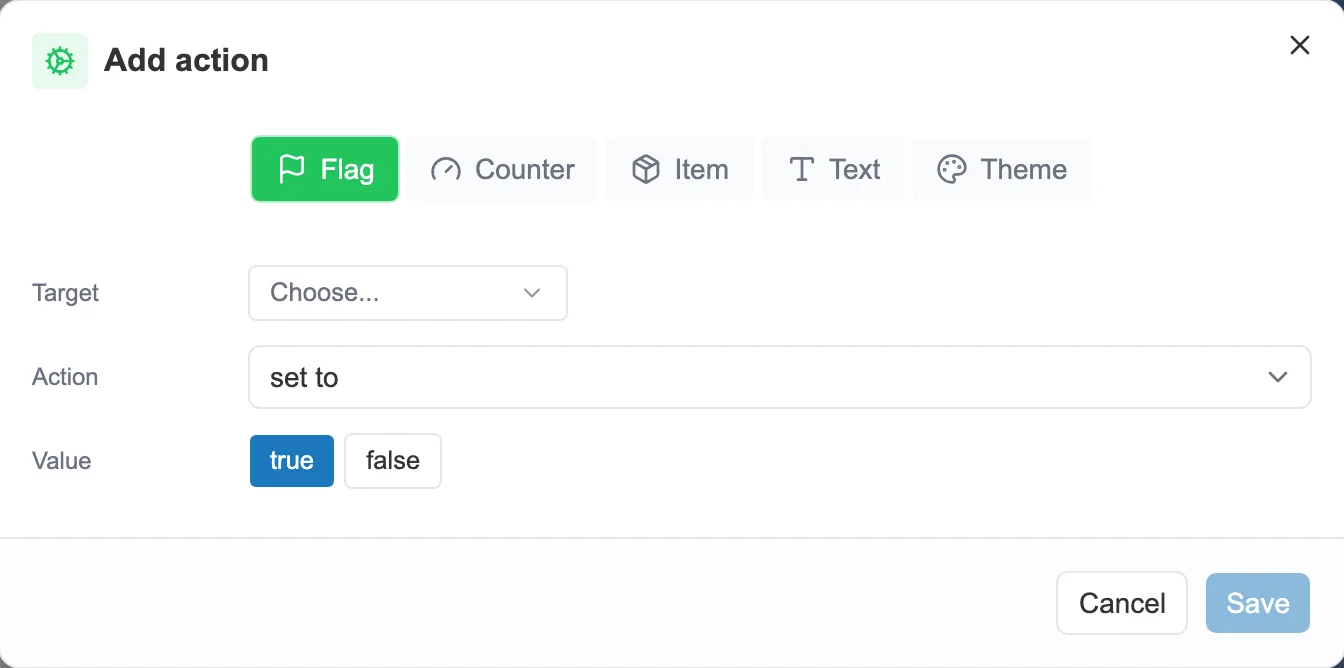
An action: the target to change, the operation, the value.
What an action can do
Section titled “What an action can do”- Flag: set it to true or to false.
- Counter: add to it, take from it, or set its value.
- Item: grant it, remove it, or toggle whether it is owned.
- Text: assign it a value.
- Theme: change the look of the story.
A choice can chain several actions, carried out in order when the reader takes the choice.
Redirects
Section titled “Redirects”A redirect does not change the state of the game, it changes the destination. Paired with a condition, it sends the reader somewhere other than planned when that condition is met.
The Redirect button, next to the Action button, is how you set one up. You enter the condition first, then the sequence to send the reader to.
Actions and redirects can also be set on an event, to act automatically. See Events.