

Sequence types
Every sequence has a type. The type decides the shape and the color of its node in the graph, and what the sequence is able to do. You pick it when you create the sequence, and you can change it afterwards.
The most common types
Section titled “The most common types”- Simple: a passage of text followed by a single continuation. The basic building block.
- Choice: a passage that offers several continuations. This is the one that makes the story branch. See Linking and organizing sequences.
- Final: the end of a path. An ending can be happy or tragic, which changes the color of its node.
The specialized types
Section titled “The specialized types”Other types serve precise needs:
- Object selection asks the reader to pick an item, among those they carry or among those you offer them. See Items and the inventory.
- Puzzle and Text input or Number input wait for an answer from the reader. See Puzzles and inputs.
- Sub-graph and Sub-graph exit reuse a portion of story somewhere else. See Sub-graphs and routines.
- Pattern drops in a ready-made mechanic. See Reusable patterns.
- Routing is an invisible switch: it shows nothing to the reader and simply sends them elsewhere according to conditions.
Almost all these types are there from the start. Only Sub-graph and Sub-graph exit call for expert mode, which is turned on in the story settings and cannot be turned off afterwards. The shape of each node can be read on the graph. See The graph.
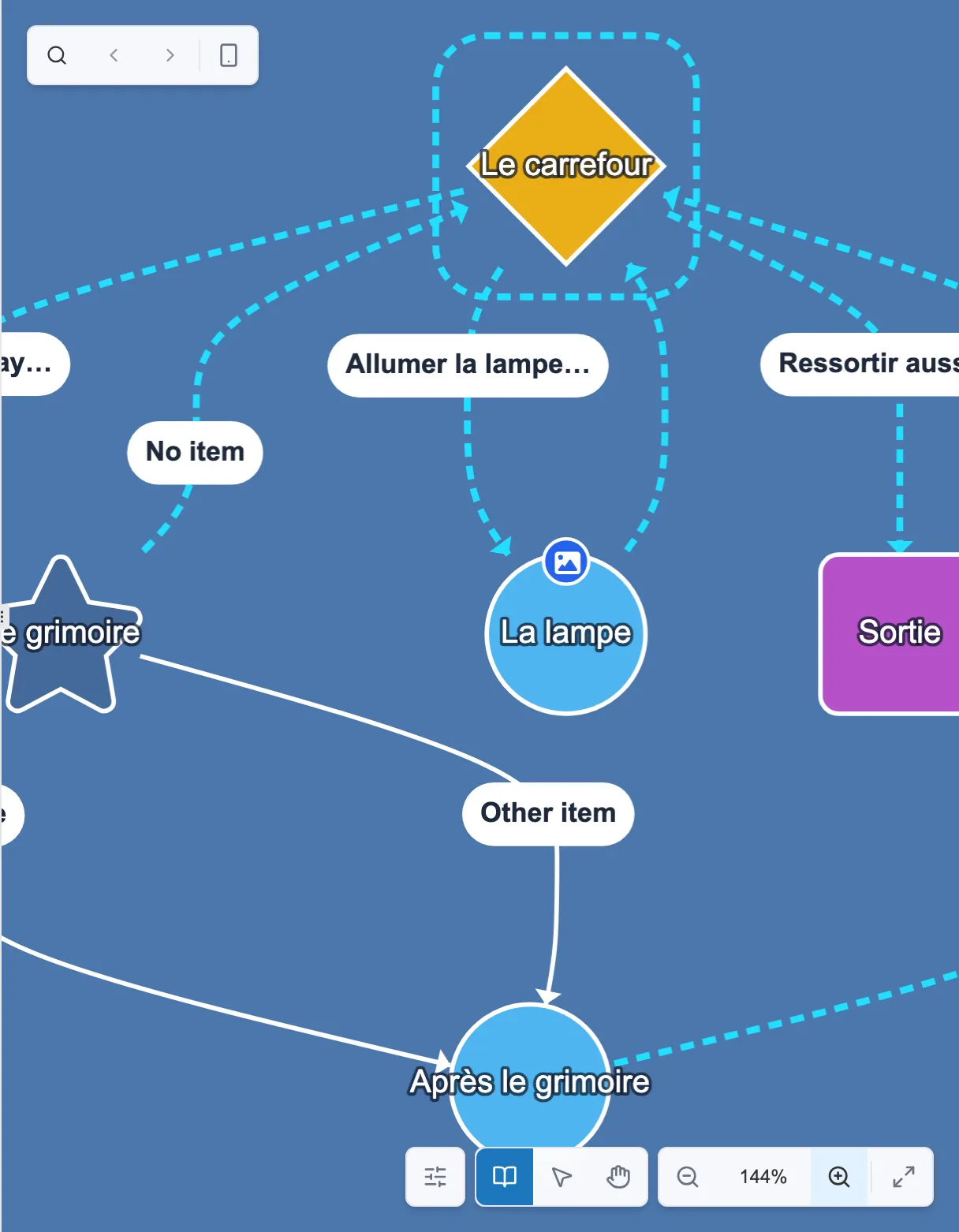
The shape tells the type: circle (simple), diamond (choice), star (object selection), rectangle (final).
Changing the type of a sequence
Section titled “Changing the type of a sequence”At the bottom of a sequence panel, the Change type block converts it.
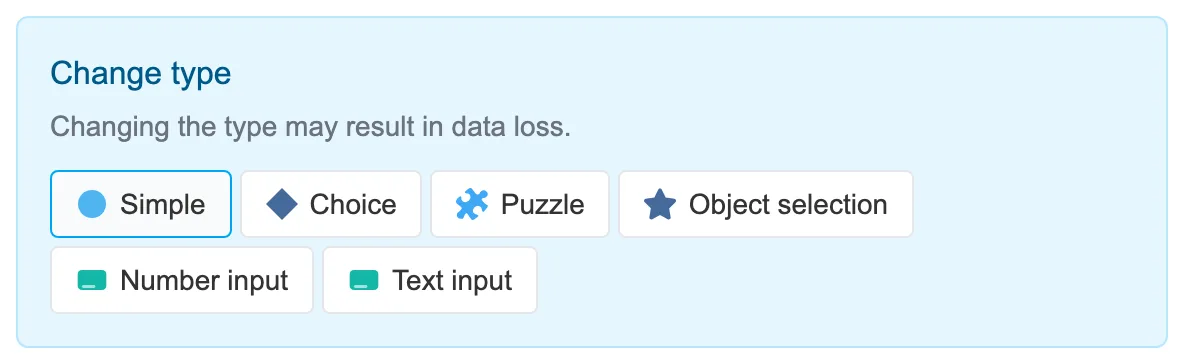
The Change type block, at the bottom of the editing panel.