

Creating a sequence
A story is built one sequence at a time. You do not draw them by hand on the graph: they are created from the editing panel, which keeps the graph clean and up to date.
From a sequence
Section titled “From a sequence”Open a sequence by selecting it. As long as its continuation is not defined, its panel shows a Link to sequence button.
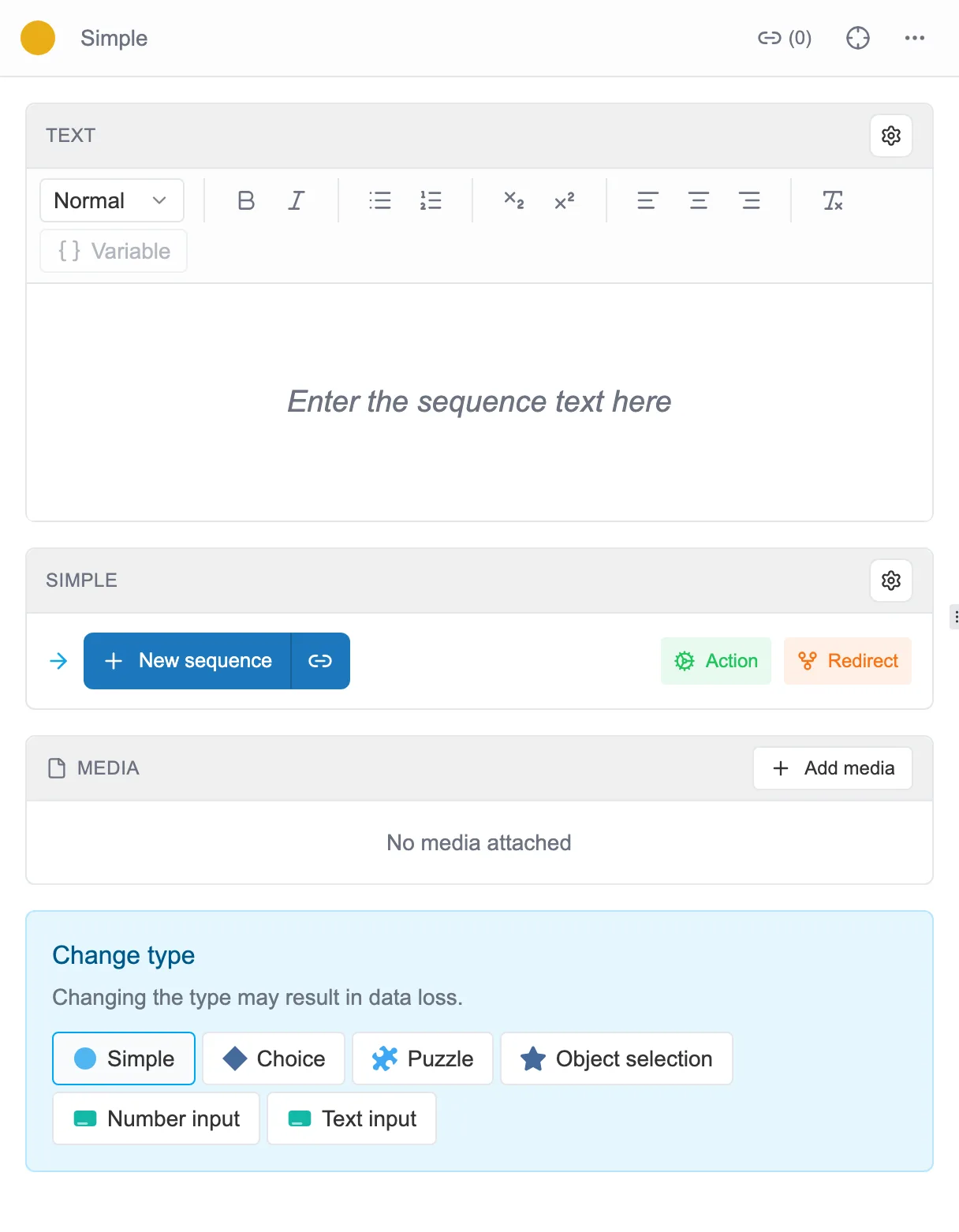
The panel of a brand-new sequence: its text, then the Link to sequence button.
That button opens a small window where you choose the type of the new sequence, then create it.
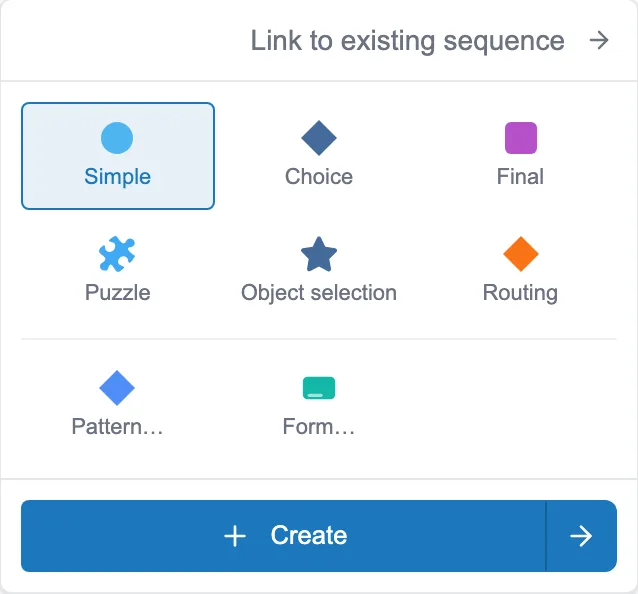
You pick a type, then you click Create.
Create adds the sequence and links it to the previous one. Create and go to does the same and opens the new sequence right away, ready to be written. The details of the types are in Sequence types.
Inserting a step, or going back up the thread
Section titled “Inserting a step, or going back up the thread”The … menu, at the top of the panel, offers other moves, depending on the sequence you have open:
- Add previous sequence slips a new sequence just before this one, and hands it every link that used to arrive here. The thread of the story really does run through the newcomer, instead of leaving it in a dead end.
- Add new root, offered on the starting sequence, slips a new sequence in before it. The newcomer becomes the start of the story. In the editor, “root” and “starting sequence” mean the same thing.
There is a third move, which does not live in that menu but in the destination picker. When an exit already leads somewhere, the picker offers, next to Create new sequence, an Insert intermediate sequence button. It slips the newcomer in between and rewires the thread for you, instead of replacing the existing destination. Its and go to variant opens it in the same breath.
This is the move to remember when you notice that a step is missing in the middle of an already written chain.